
Material · Sign-in theme
Material
A big rounded white sheet on a soft grey page, outlined 56px fields and a pill-shaped button on the right, in the spirit of Material Design. CSS only, so organization admins can install it.
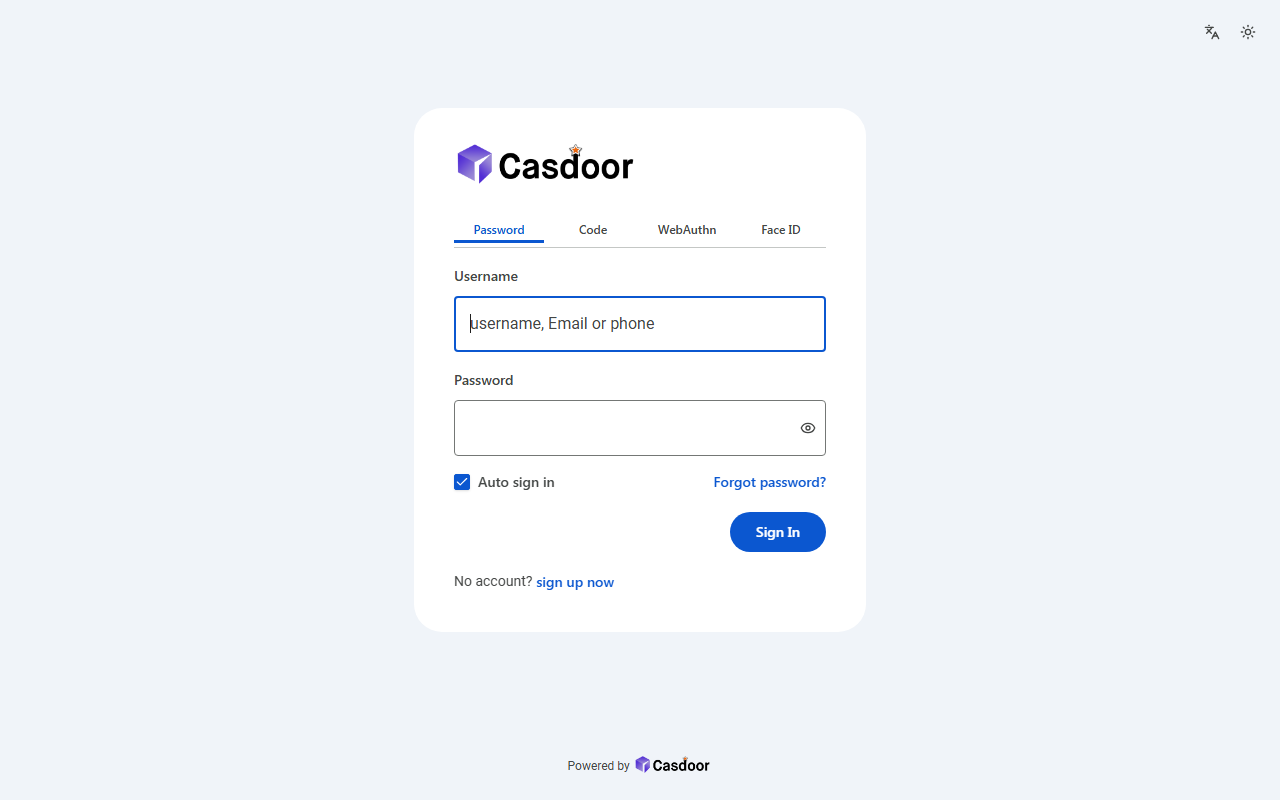
What it sets
| Theme | default |
|---|---|
| Border radius | 4px |
| Form position | Center |
| Custom CSS | Yes |
| Custom CSS Mobile | Yes |
Everything is on the application's UI Customization tab in Casdoor, so you can keep adjusting it after applying the theme.
Apply it to an application
- Enter the application below, adjust the theme's settings, and copy the JSON.
- In the Casdoor console, open Applications, edit that application, click Import JSON at the top, paste the JSON and click OK.
- Click Save. The sign-in page uses the theme from the next visit.
{
  "name": "<application name>",
  "organization": "<organization>",
  "themeData": {
    "themeType": "default",
    "colorPrimary": "#0b57d0",
    "borderRadius": 4,
    "isCompact": false,
    "isEnabled": true
  },
  "formOffset": 2,
  "formCss": "<style>\n.login-background {\n  color-scheme: light;\n  --background: 214 45% 96%;\n  --foreground: 0 0% 12%;\n  --card: 0 0% 100%;\n  --card-foreground: 0 0% 12%;\n  --muted: 214 45% 96%;\n  --muted-foreground: 160 1% 27%;\n  --accent: 214 45% 94%;\n  --accent-foreground: 0 0% 12%;\n  --border: 150 2% 77%;\n  --input: 160 2% 46%;\n  font-family: Roboto, 'Segoe UI', Arial, sans-serif;\n}\n.login-background {\n  background: #f0f4f9;\n}\n.login-content > div {\n  max-width: 452px;\n}\n.login-panel {\n  padding: 36px 40px 8px;\n  border: none;\n  border-radius: 28px;\n  background: #ffffff;\n  box-shadow: none;\n}\n.login-logo-box {\n  justify-content: flex-start;\n  margin-bottom: 28px;\n}\n.login-logo-box img {\n  max-height: 48px;\n}\n.signin-methods > div {\n  background: transparent;\n  border-bottom: 1px solid #c4c7c5;\n  border-radius: 0;\n  padding: 0;\n}\n.signin-methods [role='tab'] {\n  border-radius: 0;\n  background: transparent !important;\n  box-shadow: none !important;\n  color: #444746;\n}\n.signin-methods [role='tab'][data-state='active'] {\n  color: #0b57d0;\n  box-shadow: inset 0 -3px 0 #0b57d0 !important;\n}\n.login-form label {\n  color: #444746;\n  font-weight: 500;\n}\n.login-form input:not([type='checkbox']):not([type='radio']) {\n  height: 56px;\n  padding: 0 15px;\n  border: 1px solid #747775;\n  border-radius: 4px;\n  font-size: 16px;\n  box-shadow: none;\n}\n.login-form input:not([type='checkbox']):not([type='radio']):focus {\n  padding: 0 14px;\n  border: 2px solid #0b57d0;\n  box-shadow: none;\n}\n.login-form [role='checkbox'] {\n  border-color: #444746;\n  border-radius: 2px;\n}\n.login-form [role='checkbox'][data-state='checked'] {\n  background: #0b57d0;\n  border-color: #0b57d0;\n  color: #ffffff;\n}\n.login-form a {\n  color: #0b57d0;\n  font-weight: 500;\n}\n.login-button-box {\n  display: flex;\n  justify-content: flex-end;\n}\n.login-form .login-button {\n  width: auto;\n  min-width: 96px;\n  height: 40px;\n  padding: 0 24px;\n  border-radius: 100px;\n  background: #0b57d0;\n  color: #ffffff;\n  font-weight: 500;\n  box-shadow: none;\n}\n.login-form .login-button:hover {\n  background: #0b57d0;\n  box-shadow: 0 1px 3px rgba(0, 0, 0, 0.3);\n}\n.login-form .login-signup-link {\n  justify-content: flex-start;\n}\n.login-form .login-forget-password {\n  width: 100%;\n}\n</style>",
  "formCssMobile": "<style>\n.login-background {\n  color-scheme: light;\n  --background: 214 45% 96%;\n  --foreground: 0 0% 12%;\n  --card: 0 0% 100%;\n  --card-foreground: 0 0% 12%;\n  --muted: 214 45% 96%;\n  --muted-foreground: 160 1% 27%;\n  --accent: 214 45% 94%;\n  --accent-foreground: 0 0% 12%;\n  --border: 150 2% 77%;\n  --input: 160 2% 46%;\n  font-family: Roboto, 'Segoe UI', Arial, sans-serif;\n}\n.login-background {\n  background: #ffffff;\n}\n.login-panel {\n  border: none;\n  background: #ffffff;\n  box-shadow: none;\n}\n.login-logo-box {\n  justify-content: flex-start;\n}\n.login-logo-box img {\n  max-height: 40px;\n}\n.signin-methods > div {\n  background: transparent;\n  border-bottom: 1px solid #c4c7c5;\n  border-radius: 0;\n  padding: 0;\n}\n.signin-methods [role='tab'] {\n  border-radius: 0;\n  background: transparent !important;\n  box-shadow: none !important;\n  color: #444746;\n}\n.signin-methods [role='tab'][data-state='active'] {\n  color: #0b57d0;\n  box-shadow: inset 0 -3px 0 #0b57d0 !important;\n}\n.login-form label {\n  color: #444746;\n  font-weight: 500;\n}\n.login-form input:not([type='checkbox']):not([type='radio']) {\n  height: 56px;\n  padding: 0 15px;\n  border: 1px solid #747775;\n  border-radius: 4px;\n  font-size: 16px;\n  box-shadow: none;\n}\n.login-form input:not([type='checkbox']):not([type='radio']):focus {\n  padding: 0 14px;\n  border: 2px solid #0b57d0;\n  box-shadow: none;\n}\n.login-form [role='checkbox'] {\n  border-color: #444746;\n  border-radius: 2px;\n}\n.login-form [role='checkbox'][data-state='checked'] {\n  background: #0b57d0;\n  border-color: #0b57d0;\n  color: #ffffff;\n}\n.login-form a {\n  color: #0b57d0;\n  font-weight: 500;\n}\n.login-button-box {\n  display: flex;\n  justify-content: flex-end;\n}\n.login-form .login-button {\n  width: auto;\n  min-width: 96px;\n  height: 40px;\n  padding: 0 24px;\n  border-radius: 100px;\n  background: #0b57d0;\n  color: #ffffff;\n  font-weight: 500;\n  box-shadow: none;\n}\n.login-form .login-button:hover {\n  background: #0b57d0;\n  box-shadow: 0 1px 3px rgba(0, 0, 0, 0.3);\n}\n.login-form .login-signup-link {\n  justify-content: flex-start;\n}\n.login-form .login-forget-password {\n  width: 100%;\n}\n</style>"
}More sign-in themes
View all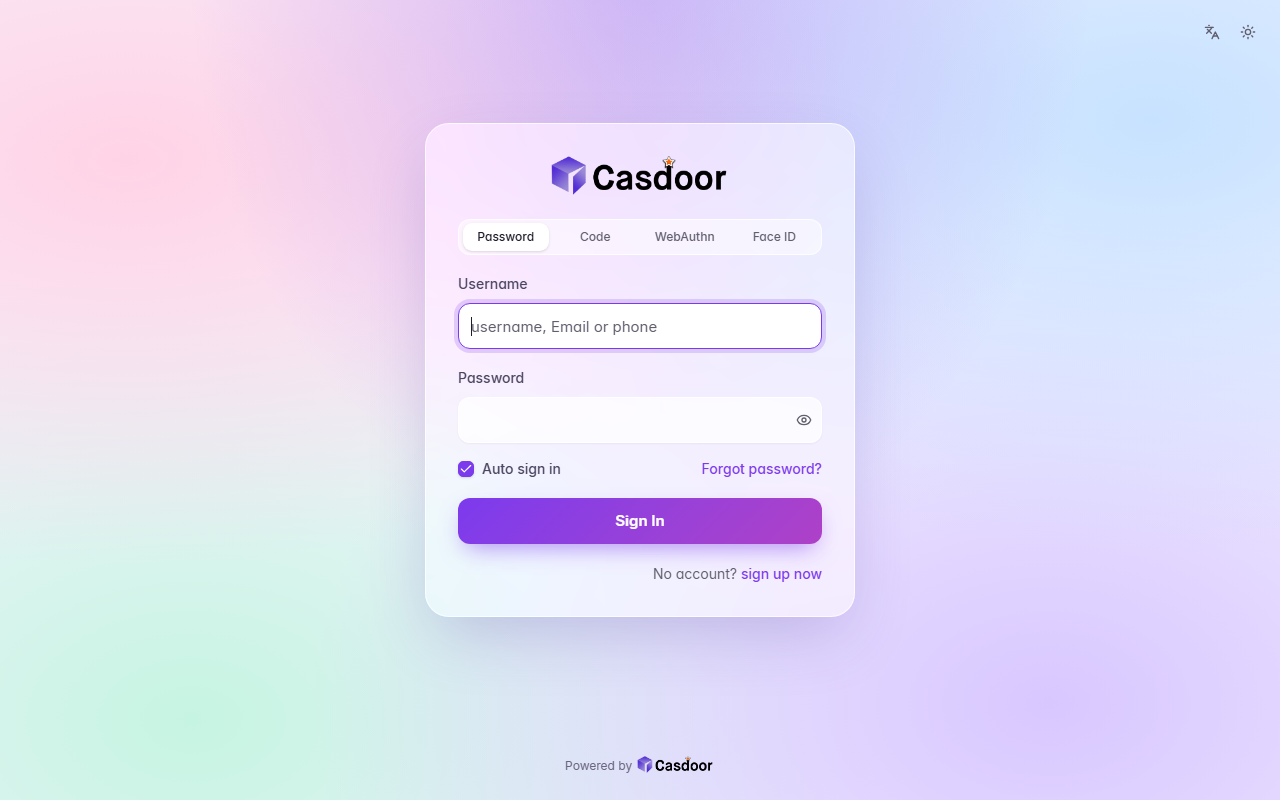
Aurora
Sign-in themeA pastel mesh of color tinted by your accent behind a frosted glass card, with soft rounded fields and a gradient button. CSS only, so organization admins can install it.
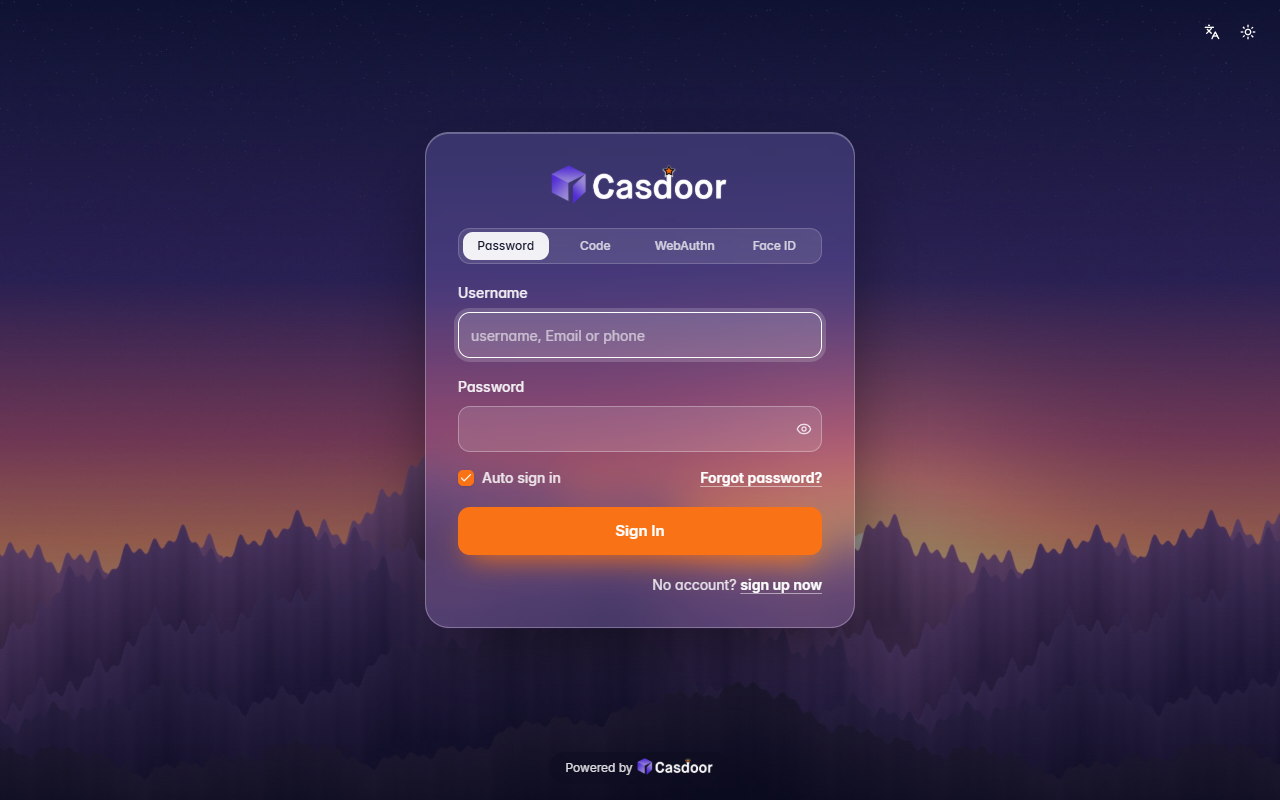
Backdrop
Sign-in themeYour own picture behind the whole page, dimmed a little, with a frosted glass card on top. It comes with a dusk mountain scene; give it any image address to use yours. Organization admins can install it.
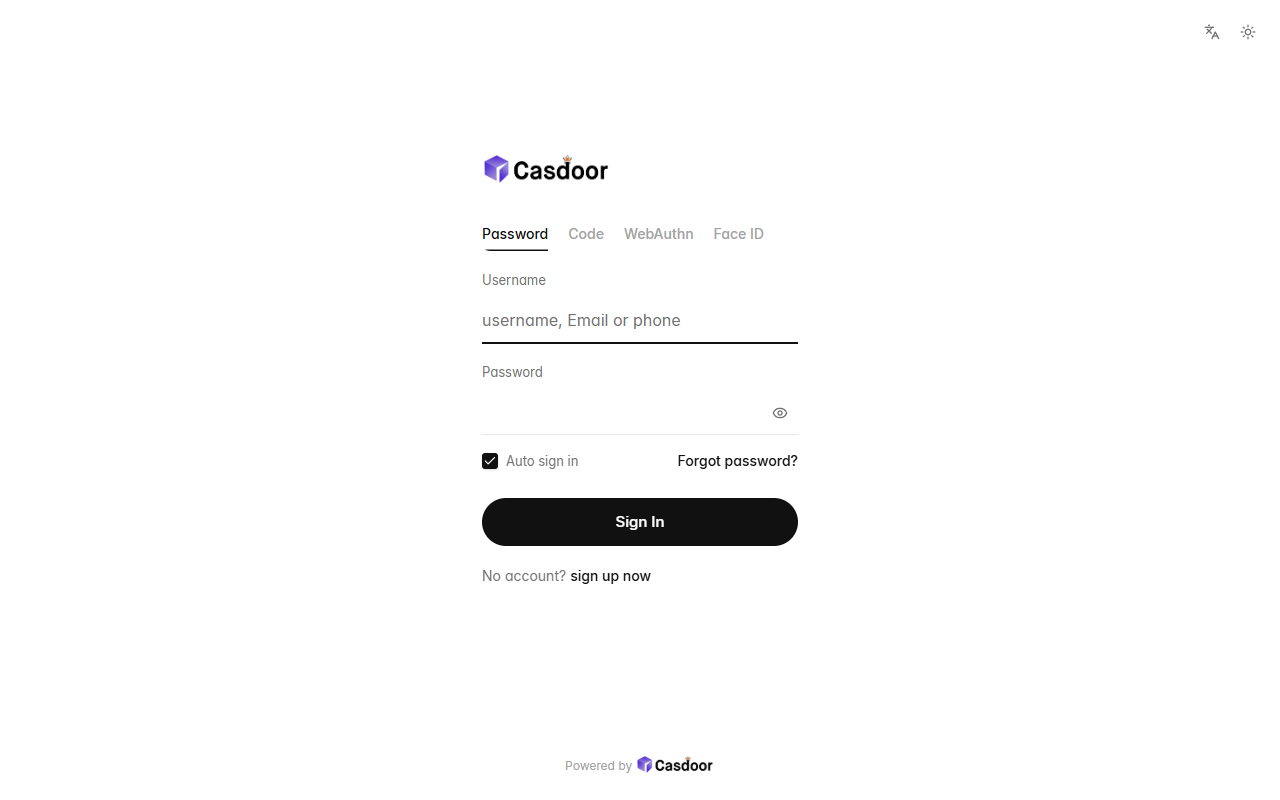
Bare
Sign-in themeNothing but the form: no card, no background, a small left-aligned logo, quiet text tabs, hairline fields and a round button, with plenty of white space. CSS only, so organization admins can install it.